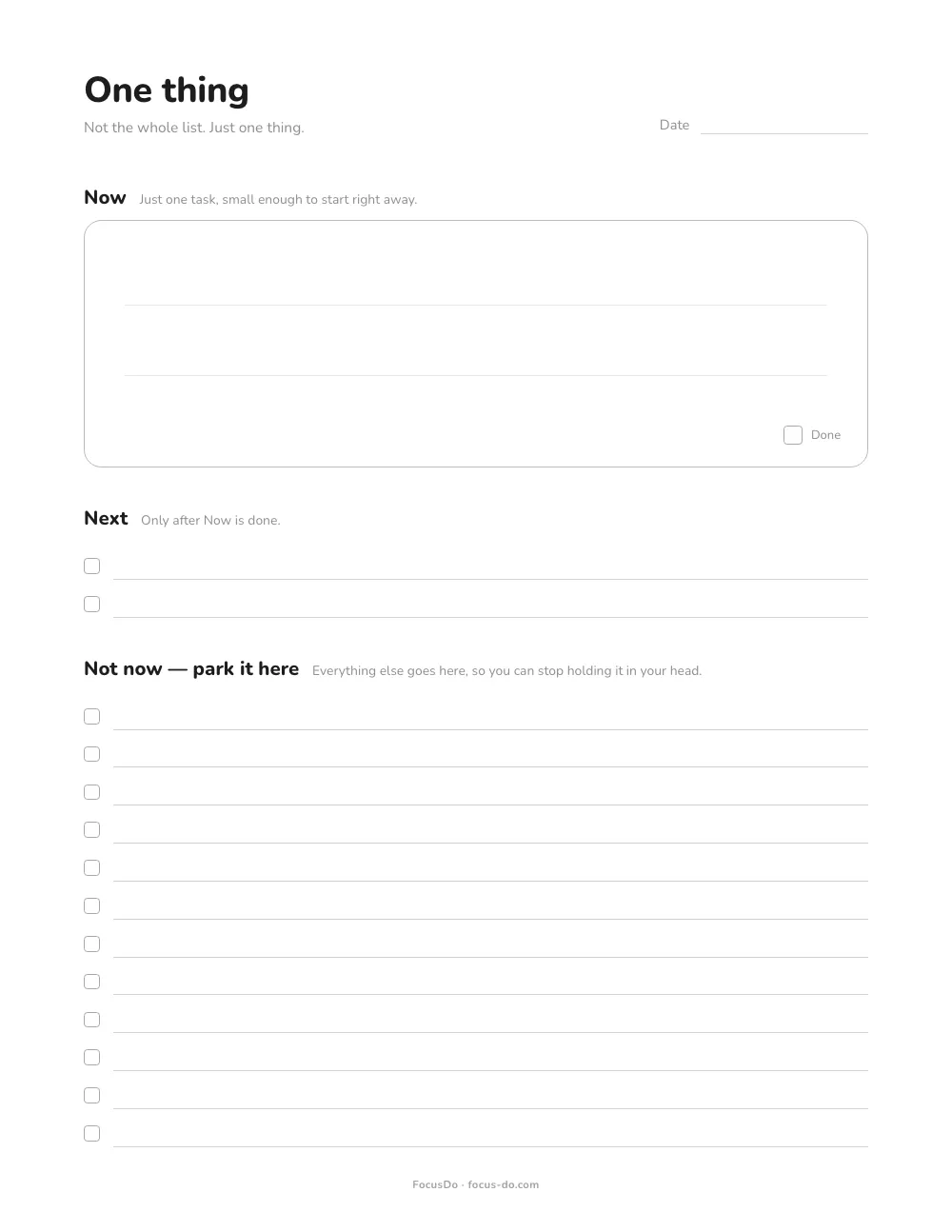
How to use this ADHD to-do list template
- Empty your head first. Write everything on your mind under Not now, one per line. Don’t sort or rank it.
- Pick one and write it in Now. Make it small enough to start right away: “open the report”, not “finish the report”.
- Add one or two to Next if something clearly comes after. Leave it blank if nothing does.
- Work only on Now. When something new pops into your head, park it at the bottom and go back.
- Done? Tick the box. Next becomes your new Now. When the page gets messy, print a fresh one.
Why one thing at a time helps with ADHD
A regular to-do list puts every task in front of you at once, and each line is a small decision: this one or that one, now or later. CHADD, the US national ADHD organization, explains that difficulties with executive function, which includes organizing and prioritizing, can affect a person’s ability to begin, work on and complete tasks. A long list leans on exactly those skills, all day.
This sheet asks for one decision instead of dozens: what goes in the Now box. Everything else still gets written down, so nothing is lost and you don’t have to hold it in your head while you work. A sheet of paper won’t change how your brain works, but it can give you less to look at when you’re trying to start.
If to-do lists have never really worked for you, you’re not alone. We wrote about why to-do lists often backfire with ADHD, and what helps instead.
Prefer it on your phone?
FocusDo does the same thing on iPhone. Write your list, tap Focus, and it shows one task at a time while the rest stays out of sight. Swipe across to cross it off, and the next one slides into place. There’s no timer to race and no account to create. It’s free, with an optional Pro upgrade.